¶ General Settings
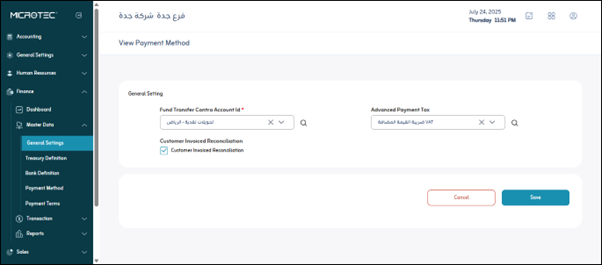
Usage: The “General Settings” screen is a vital part of the financial system, allowing you to define behaviors and default settings that affect how financial transactions and records are processed in your system.
¶ Fields
- Fund Transfer Contra Account Id:This field is mandatory and identifies the default accounting account to which the other party records any internal financial transfers.
- Advanced Payment Tax: This option (on/off) controls whether the system calculates tax on advance payments received or paid.
- Customer Invoiced Reconciliation: This option (on/off) enables the system to automatically match incoming payments with outstanding customer invoices.
Save: After entering the previous fields, the user clicks “Save” to save the settings.