¶ Treasury definition
Usage: The “Treasury definition” screen is where you set up and identify all the safes or cash boxes used in your business.
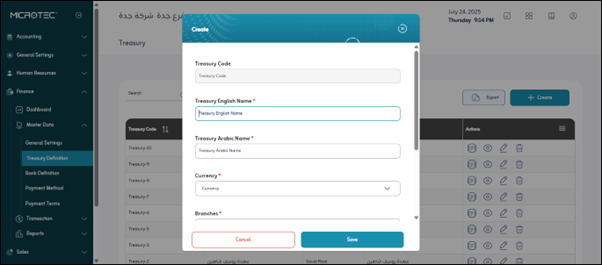
¶ Fields
- Treasury Code: This is a unique identification code for the till. It resembles the till’s ID number.
- Treasury Name*: This is the descriptive name for the till, and it is the name that will be displayed to users.
- Currency*: This field specifies the currency that this till will primarily handle (such as “Egyptian Pound - EGP,” “US Dollar - USD,” “Euro - EUR”).
- Branches*: This field allows you to link the till to one or more of your company’s branches (if you have multiple branches).
- Subledger Account: This field is used to link the treasury to a specific account in the subledger.
- General Ledger Opening Balance: This field represents the initial cash balance of the treasury as recorded in the general ledger at the beginning of a new accounting period (such as the beginning of a fiscal year) or when the treasury is first defined in the system.
- Treasury Opening Balance: This field represents the actual or physical balance of cash in the treasury at the time of its definition or at the beginning of a specific period.
Save: After entering the previous fields, the user clicks “Save” to save the treasury data.