¶ Tags
Usage: The Attribute Settings screen is used to define and manage custom attributes in the system. These attributes enable you to add additional, specific information to different entities within the system modules, providing greater flexibility in tracking and categorizing data to suit your business needs.
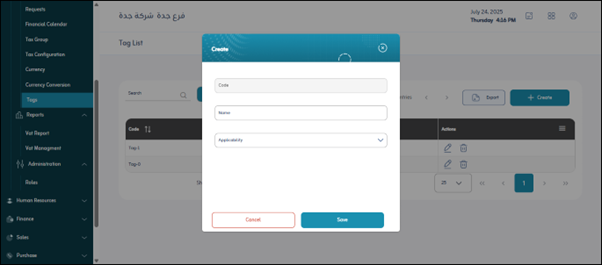
¶ Fields
- Code: A unique and short identifier for the attribute within the system, used to distinguish it programmatically (e.g., “Color”, “Size”, “Project_Type”).
- Name: The clear and descriptive name of the attribute as it will appear to users in the system interfaces (e.g., “Color”, “Size”, “Project_Type”).
- Applies to: This field identifies the system modules or entities to which this specific attribute will be applied. You can select one or more of the available modules to specify where this attribute will appear and add additional information.
- Finance: To apply the attribute to financial settings or entities.
- General Ledger: To apply the attribute to ledger accounts or entries.
- Inventory: To apply the attribute to items or inventory levels.
- Distribution: To apply the attribute to distribution or warehouse operations.
- Sales: To apply the attribute to sales orders, invoices, or customer data.
- Personal: To apply the attribute to employee or user data.
- Purchase: To apply the attribute to purchase orders, invoices, or supplier data.
- App General Settings: To apply the attribute to the system’s general settings.
Save: To save the new attribute definition or any changes made to an existing attribute.